

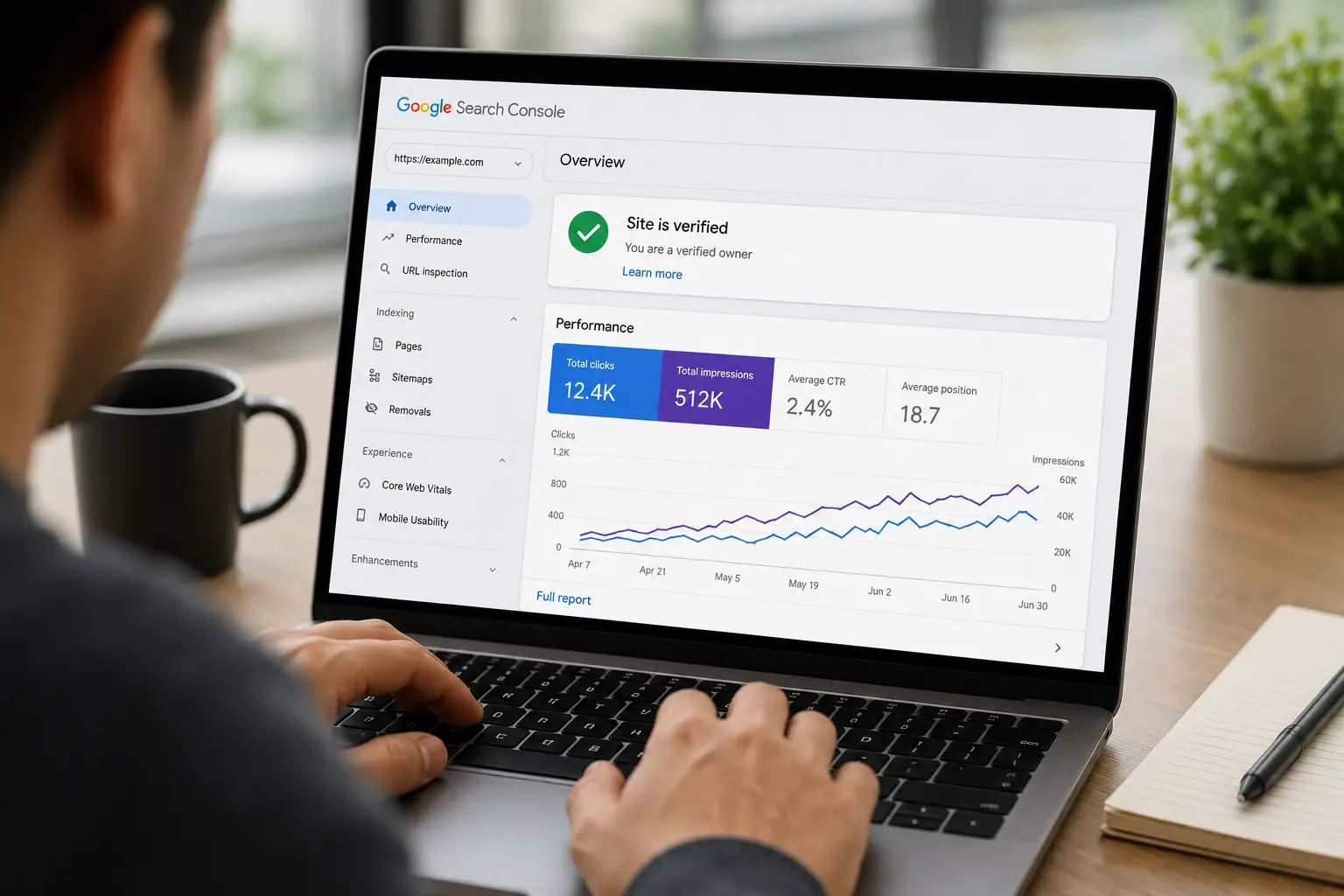
If you want your website to appear in search results, setting up Google Search Console is one of the first things you should do. It helps you monitor indexing, track search performance, fix technical SEO issues, and understand how search engines see your site.
To set up Google Search Console for a new website, create an account, add your website property, verify ownership, submit your XML sitemap, and monitor indexing and search performance regularly. Once connected properly, you’ll start seeing keyword data, crawl reports, and page visibility insights that help improve SEO rankings and organic traffic.
What Is Google Search Console for a New Website?
Google Search Console: A free tool that helps website owners monitor search visibility, indexing status, website health, and keyword performance.
Think of it as a direct communication channel between your website and Google.
Without it, you’re basically guessing how your site performs in search results.
I’ve worked with website owners who spent months publishing content but never realized half their pages weren’t indexed. That’s the kind of issue Search Console catches early.
For beginners, it helps with:
Indexing pages faster
Tracking search clicks and impressions
Finding crawl errors
Monitoring technical SEO issues
Submitting sitemaps
Understanding keyword performance
And honestly, if you skip this setup step, your SEO efforts become much harder to measure.
Why Google Search Console Matters in 2026
Search engines keep evolving, but one thing hasn’t changed: data matters.
In 2026, SEO isn’t just about publishing articles anymore. Search visibility now depends heavily on technical quality, indexing accuracy, and user intent signals.
Here’s the thing most people overlook. Many websites fail not because the content is bad, but because search engines struggle to understand or crawl the site properly.
That’s where Google Search Console becomes incredibly useful.
A properly configured account helps you:
Detect indexing problems early
Monitor page experience issues
Understand which keywords bring traffic
Improve click-through rates
Track mobile usability
Spot sudden ranking drops
One small business blog I reviewed had excellent content but nearly 40 pages were marked “Crawled — currently not indexed.” They had no idea until they checked Search Console.
After improving internal links and page quality, indexing improved within weeks.
Expert Tip
Don’t obsess over rankings during your first month. Focus on indexing first. A page that isn’t indexed can’t rank no matter how good the content is.
Why New Websites Often Struggle Without Search Console
New websites usually have very little authority. That means search engines crawl them cautiously.
Without proper monitoring, several problems can quietly appear:
Pages not indexing
Sitemap errors
Mobile usability issues
Slow crawling
Duplicate content warnings
Broken internal links
What surprises many beginners is how common indexing delays are.
You publish content expecting instant rankings, but search engines might not even discover the page properly for days or weeks.
Search Console speeds up that feedback loop.
How to Set Up Google Search Console for a New Website Step by Step
This process is actually simpler than most people expect.
You don’t need advanced technical skills. Just patience and careful setup.
Step 1: Create a Google Search Console Account
First, log in using your Google account.
Once inside, you’ll see the option to add a property.
You’ll usually get two setup choices:
Domain property
URL prefix property
In most cases, domain property works better because it tracks all versions of your website together, including:
HTTPS
HTTP
WWW
Non-WWW
That gives cleaner reporting later.
Step 2: Verify Website Ownership
This is where many beginners get confused.
Google needs proof that you actually own the website.
Verification methods usually include:
DNS record verification
HTML file upload
Meta tag insertion
Analytics integration
Tag manager setup
Personally, I prefer DNS verification because it’s more stable long term.
Once ownership is verified, Search Console starts collecting data almost immediately.
Though fair warning — reports can look empty for the first few days. That’s normal.
Step 3: Submit Your XML Sitemap
Your sitemap helps Google understand your website structure.
Most modern CMS platforms generate this automatically.
You simply paste the sitemap URL into the Sitemap section inside Search Console.
This step matters more than people think.
Without a sitemap, search engines may miss newer pages or crawl your site less efficiently.
Expert Tip
Check your sitemap after publishing new content. Sometimes plugins stop updating correctly after theme or plugin changes.
How to Submit Pages for Faster Indexing
After setup, you can request indexing manually.
This feature is extremely helpful for:
New blog posts
Updated landing pages
Fresh service pages
Corrected technical issues
Here’s how it works:
Paste the page URL into the inspection bar
Let Google analyze the page
Click “Request Indexing”
That’s it.
Now, does this guarantee rankings? No.
But it usually speeds up discovery.
One thing I’ve noticed over the years: websites with strong internal linking structures tend to get indexed faster even without manual requests.
What Most Beginners Get Wrong About Google Search Console
They Panic Over Errors Too Quickly
Not every warning is catastrophic.
Some reports simply need monitoring rather than immediate fixes.
They Ignore Coverage Reports
Coverage reports show whether pages are indexed properly.
Ignoring these reports is a mistake.
They Focus Only on Clicks
Traffic matters, sure. But impressions often reveal bigger opportunities.
A page getting impressions but few clicks usually needs title or meta description improvements.
They Never Check Mobile Usability
A shocking number of websites still have mobile issues in 2026.
And yes, Google absolutely notices.
Which Reports Matter Most for New Websites?
Search Console contains a lot of data. Honestly, too much sometimes.
For new websites, focus on these sections first.
Performance Report
This shows:
Clicks
Impressions
Average ranking position
Search queries
You’ll quickly see which pages gain visibility.
Indexing Report
Probably the most important section for beginners.
This reveals:
Indexed pages
Excluded pages
Crawl issues
Redirect problems
Sitemap Section
Confirms whether your sitemap processes correctly.
Page Experience Report
Shows usability and performance issues affecting user experience.
Here’s my hot take: many website owners obsess over keyword rankings while ignoring indexing quality completely. That’s backwards.
If Google can’t crawl and understand your pages properly, rankings become much harder.
A Small Real-World Example
A startup launched a new service website with around 20 pages.
Everything looked polished visually.
But traffic stayed flat for nearly two months.
After reviewing Search Console, the issue became obvious: the sitemap wasn’t submitted correctly, and several pages were blocked accidentally through robots settings.
Once fixed, indexed pages increased steadily and impressions started appearing within weeks.
The content wasn’t the problem. Technical setup was.
That happens more often than people admit.
How Long Does Google Search Console Take to Show Data?
Usually, basic data appears within a few days.
Performance reports may take slightly longer for brand-new sites because search engines need time to crawl and process pages.
Don’t expect instant numbers.
In most cases:
Sitemap processing: within hours
Verification: immediate
Performance data: 2–5 days
Keyword visibility: several days or weeks
Patience matters here.
Common Google Search Console Errors and Fixes
“Page Not Indexed”
Usually caused by:
Weak content
Crawl restrictions
Duplicate pages
Internal linking issues
“Submitted URL Not Found”
This often means your sitemap contains broken URLs.
“Blocked by Robots.txt”
Your robots file prevents crawling.
Sometimes intentionally. Sometimes accidentally.
“Duplicate Without User-Selected Canonical”
Google found similar pages and chose one version itself.
Canonical setup usually fixes this.
Expert Tip
Review indexing reports weekly during your first six months. New websites change constantly, and technical mistakes happen more than most people realize.
Expert Tips That Actually Help New Websites
Honestly, Search Console becomes far more useful when paired with smart SEO habits.
Here’s what tends to work best.
Build Internal Links Early
Pages with strong internal connections usually get crawled faster.
Update Older Pages
Refreshing content often improves crawl frequency.
Don’t Submit Every Tiny Page for Indexing
Some pages probably don’t need search visibility.
Focus on quality.
Monitor Branded Searches
As your website grows, branded keyword impressions become a useful trust signal.
Use Search Queries for Content Ideas
This is one of my favorite strategies.
Sometimes Search Console reveals keyword variations you never planned for. Those insights often turn into excellent future articles.
People Most Asked About Google Search Console
Is Google Search Console free?
Yes, completely free. Website owners can use it to monitor indexing, traffic, and technical SEO performance without paying anything.
How long does it take for a new website to appear in Search Console?
Verification happens immediately, but performance data usually takes a few days to populate. Brand-new websites may take longer to gain search visibility.
Do I need Search Console for SEO?
Technically no, but realistically yes. Without it, you lose visibility into indexing issues, keyword data, and technical SEO problems.
What’s the difference between Search Console and Analytics?
Search Console focuses on search visibility and indexing. Analytics tracks user behavior after visitors arrive on your website.
Why are my pages not indexing?
Usually because of weak content, crawl restrictions, duplicate issues, or poor internal linking. Search Console reports often reveal the exact reason.
Should I submit every page manually?
Not necessarily. Search engines discover many pages naturally through internal links and sitemaps. Manual indexing requests work best for important pages.
Can Search Console improve rankings directly?
Not directly. But the insights help you fix SEO problems that influence rankings over time.
Final Thoughts on How to Set Up Google Search Console for a New Website
Setting up Google Search Console gives your website a stronger technical foundation from day one. It helps you track indexing, monitor keyword visibility, identify technical SEO issues, and improve overall search performance before small problems become bigger ones.
For new websites especially, having accurate search data early can save months of confusion and guesswork.
Boost your brand visibility and organic traffic with trusted PR distribution services combined with professional SEO services designed for businesses, startups, and agencies aiming for better SEO ranking and wider media coverage. From instant publishing opportunities to high authority backlinks, these solutions help strengthen online authority while driving long-term search growth and customer reach.